Logos & Icons
Add a logo to any badge — SimpleIcons, React Icons, Lucide, emoji (Twemoji), or your own SVG.
Add an icon to any badge with the ?logo= query parameter. shieldcn resolves logos from several sources, picked by a small prefix convention.
Logo sources
| Source | Syntax | Example |
|---|---|---|
| SimpleIcons (2,400+ brands) | bare slug | ?logo=react |
| React Icons (40,000+) | ri: prefix | ?logo=ri:FaReact |
| Lucide | lu: prefix | ?logo=lu:Check |
| Twemoji (emoji) | twemoji: prefix or bare emoji | ?logo=twemoji:🚀 |
| Custom SVG | data: URI | ?logo=data:image/svg+xml;base64,… |
| None | false / none | ?logo=false |
Single-color icons (SimpleIcons, React Icons, Lucide) are recolored to match the badge variant and respect ?logoColor=. Full-color sources (Twemoji, custom multi-color SVGs) keep their original colors.
Emoji (Twemoji)
Any emoji can be a badge logo, rendered as a crisp full-color Twemoji glyph. Three forms work:


twemoji:🚀— explicit prefix with the emoji character.twemoji:1f680— explicit prefix with the hex codepoint (handy when pasting emoji is awkward, e.g. in YAML).🚀— a bare emoji is auto-detected as Twemoji.
GET/badge/:content.svg
Path Parameters
required
Static badge text, e.g. label-value or label-value-color
An emoji, twemoji:<emoji>, or twemoji:<codepoint>
<picture><source media="(prefers-color-scheme: dark)" srcset="https://shieldcn.dev/badge/ship-it.svg?logo=twemoji%3A%F0%9F%9A%80&mode=dark"><img alt="badge" src="https://shieldcn.dev/badge/ship-it.svg?logo=twemoji%3A%F0%9F%9A%80&mode=light"></picture>

Examples
🚀 on a custom badge
Bare ❤️ auto-detected
🔥 by codepoint
☕ powered
ZWJ sequence 👨💻
Flag emoji 🇺🇸
Emoji logos compose with every variant, size, theme, mode, and split. Because emoji are inherently multi-color, ?logoColor= has no effect on them.
🎉 with an outline variant and the green theme.
<picture><source media="(prefers-color-scheme: dark)" srcset="https://shieldcn.dev/badge/release-shipped.svg?logo=%F0%9F%8E%89&variant=outline&theme=green&mode=dark"><img alt="party badge" src="https://shieldcn.dev/badge/release-shipped.svg?logo=%F0%9F%8E%89&variant=outline&theme=green&mode=light"></picture>Brand icons (SimpleIcons)
The most common case — use a brand's slug directly. Browse the full set in the Gallery.
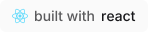
?logo=react
?logo=typescript
?logo=bun
React Icons & Lucide
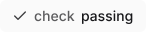
Reach 40,000+ icons via React Icons with the ri: prefix (use the exact component name), or Lucide with lu:.
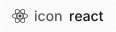
?logo=ri:FaReact
?logo=lu:Check
Custom SVG
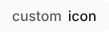
Pass your own icon as an inline data: URI (base64 or UTF-8 encoded SVG). The builder's logo uploader generates this for you.
Logo color
For single-color icons, override the fill with ?logoColor= (hex without #):
logoColor does not apply to Twemoji or multi-color custom SVGs, which keep their original colors.
In the builder
Both the Badge Builder and Profile Generator include a logo picker and an SVG uploader under the logo control.