Light & Dark Mode

Make badges adapt to the reader's GitHub light or dark theme.
Every badge accepts a mode query parameter:
| Mode | Result |
|---|---|
mode=dark | Tuned for dark backgrounds (this is the default). |
mode=light | Tuned for light backgrounds. |
On its own, mode just picks one look. To make a badge automatically follow the
reader's GitHub theme, combine it with GitHub's <picture> element and the
prefers-color-scheme media query.
The <picture> pattern
GitHub serves a different image based on the viewer's theme. The <source>
targets dark-theme viewers; the <img> fallback (light) covers light-theme
viewers and any renderer that doesn't understand <picture> (npm, PyPI, etc).
<picture>
  <source media="(prefers-color-scheme: dark)" srcset="https://shieldcn.dev/github/ci/jal-co/shieldcn.svg?variant=outline&mode=dark">
  <img alt="CI" src="https://shieldcn.dev/github/ci/jal-co/shieldcn.svg?variant=outline&mode=light">
</picture>
This renders on GitHub.com and swaps automatically when the reader toggles their theme — no JavaScript, no duplicate badges shown.
Which badges benefit
mode only changes a badge when its colors are derived from the theme. A
badge with an explicit color looks identical in both modes, so wrapping it in
<picture> does nothing.
| Variant | Adapts to mode? |
|---|---|
default (no custom color) | Yes |
secondary | Yes |
outline | Yes |
ghost | Yes |
branded | Yes |
destructive | Not availablecolor-locked |
any variant with ?color=... | Not availablecolor-locked |
If you're using a theme-derived variant, the <picture> pattern is worth it. If
your badge has a fixed color, just leave it as a plain .
A whole row at once
For a row of badges, the badge group endpoint lets the
entire row swap together with a single <picture>:
<picture>
  <source media="(prefers-color-scheme: dark)" srcset="https://shieldcn.dev/group/github/ci/jal-co/shieldcn+github/last-commit/jal-co/shieldcn+github/license/jal-co/shieldcn.svg?variant=outline&mode=dark">
  <img alt="project badges" src="https://shieldcn.dev/group/github/ci/jal-co/shieldcn+github/last-commit/jal-co/shieldcn+github/license/jal-co/shieldcn.svg?variant=outline&mode=light">
</picture>
Markdown-native alternative
GitHub also supports #gh-dark-mode-only / #gh-light-mode-only URL fragments,
which work in plain Markdown without an HTML block:

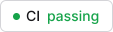GitHub shows the matching badge and hides the other. The trade-off versus
<picture> is that two <img> tags can leave a little extra spacing, and the
fallback (both shown) only applies off GitHub. The <picture> approach is
generally cleaner.
Generate it automatically
You don't have to write the <picture> markup by hand.
CLI
Pass --theme-aware and the CLI emits <picture> blocks for every
theme-derived badge:
npx shieldcn-cli vercel/next.js --variant outline --theme-awareColor-locked badges stay as plain Markdown, so the output is never more verbose than it needs to be.
Generator
In the badge generator, toggle Theme-aware (light/dark) under
Global defaults. The copy-paste output switches to <picture> markup for the
badges that benefit.
Caveats
prefers-color-schemeonly resolves on GitHub.com. Local Markdown previews, VS Code, and some package registries fall back to the<img>(light) version.- The
brandedvariant already adapts its text contrast permode, so the pattern works there too.